Friday, November 17, 2023

phone 40 – apple iphone se 2022 – throwback phone for ifans

Second iPhone I acquired. First iPhone I bought. I know, I know. I also did not plan to own, more so buy one. But, this one has a story, too.


[iPhone SE 2022]

It was bought by my sister along with the iPhone 11 Pro she gave me. There are two main reasons why she wants to get rid of it. (1) It limits her in connecting to her friends. Despite of having social media to share photos and files, she still has to deal with Bluetooth connectivity. I guess, it is easier to change phone than friends, 😁. (2) Battery health. Yes, that iPhone feature that brought paranoia especially to Android-iOS switchers. In a couple of months, it went 99% and after a week, right after she updated it to a minor iOS16 upgrade, it went down to 98%. Although I told her that it is normal – 80% battery health is expected in 2 years. So, by linear estimate, 90% is normal after a year, and 95% is still normal in 6 months. Her iPhone is ahead of the curve, actually. But, considering that I still have 90% on my iPhone 11 Pro since she gave it to me and that her paranoia is still up, she decided to dispose it. As a big brother who cares about her, 😁 and also the phone, 😂 I bought it in full price. A sub-30k php (~530 usd) is not that bad to burn, right?

[The horrifying battery health, 😁]

Long story short. I now have the iPhone SE 2022 that looks like the iPhone 6 from years ago – and very close to iPhone 8, also from the distant past. I assume, existence of this phone is meant for early iFans who love such design. The next dilemma is to decide if this phone becomes my work phone, personal phone or a “drawer” phone. The phone’s software support is too good to place it on my drawer of collections. Yet, the phone is too small and limited to use as a work phone – my experience on iPhone 11 Pro as a work phone was not that good. So, using it as a personal phone is the most sensible thing to do. Besides, I won’t be sharing much via Bluetooth. The lack of headphone jack has not swayed me away from XZ2 Compact, so I think it would be okay. It also has similar size with the latter. So, while I am reviewing this phone – with the 6 tasks I considered – I would be comparing the experience with the XZ2 Compact at some point.


[My past and the present personal phone – Sony Xperia XZ2 Compact and Apple iPhone SE 2022]

Task 1 – Music Playback

The Music app, like on iPhone 11 Pro, prioritizes online streaming, but local audio files can be transferred to the phone from PC using iTunes or 3uTools. And like any iPhone, there is no microSD card slot to swap-in and –out those audio collections you may have.

[Apple Music app… and nope, there is not microSD card slot here, as always]

For audio outputs, there are three choices – wired via lightning, wireless, and the loudspeakers. I have no lightning earphones, yet. But, wireless is good on this phone, yet with limited codecs (no LDAC here). The loudspeakers are certainly loud and have some good amount of bass. It has a stereo loudspeaker set-up similar to most smartphones – down-firing and through the earpiece. The balance is not as good as XZ2 Compact, but the loudness and bass is way better than the latter. Both can fill my room with music, but I have to turn the volume of XZ2 Compact halfway (50%) to match the loudness of SE 2022 at about 30%. So, that is one of the things I like more on my new personal phone against the older XZ2 Compact.
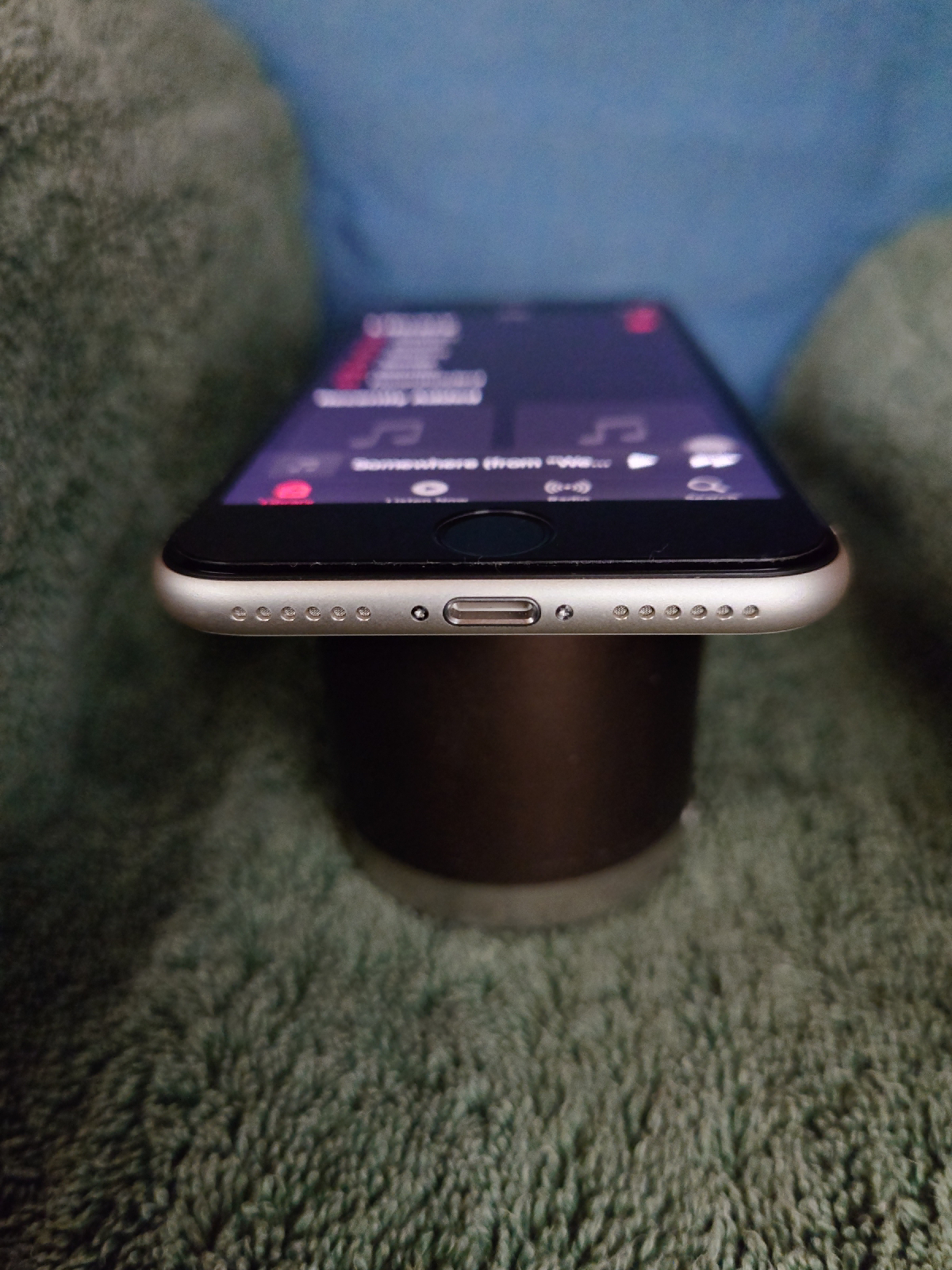
[No jack on iPhones]

Task 2 – Web Browsing

The built-in Safari browser, like I mentioned on my iPhone 11 Pro review is good except for some weird responses and scrolling dilemmas I faced – it scrolls when I zoom, I can only have vertical or horizontal scrolling, at a time without lifting my finger off the display.

[Web browsing - small, without cut-outs, 5G]

However, the phone’s small display makes me use mobile versions of web pages most of the time. It is worth-noting, but not a deal-breaker, that iPhone SE 2022 (326ppi, 16:9, 4.7 inches) is less sharp than XZ2 Compact (483ppi, 18:9, 5 inches). Apart from that noticeable difference, their displays are similar. They both use IPS LCD display, making it appear sharper than oleds with similar resolution. They can also handle HDR contents, XZ2 Compact still better on this area. They can have good dim-lighting when used in dark rooms, like bedroom on bedtime. So, it is comfortable to the eye. Both also have a feature to automatically adjust the white balance of the display, for night time – Xperia calls it Night Light, while it is called Night Shift on iPhones. Overall, they are comparable on this aspect.

But there is one crucial feature this phone has over my previous compact phone – 5G connectivity! And a better “designed” display than my “notchy” iPhone 11 Pro. These make SE 2022 a worthy personal phone for casual web browsing in more years to come.

Task 3 – Gaming

As always, Subway Surfer is my go-to game, being for not-gamer “me” and that it is action-packed enough to challenge the responsiveness of the phone. I still get some hiccups when I am playing too long, but not as bad as on iPhone 11 Pro. Overall, the experience is good. Like my old personal phones, the game matches the phone as I can play one-handedly. But, I slightly lean towards XZ2 Compact for overall casual gaming experience due to better handling for longer gameplay.

[Subway surfer]

Task 4 – Photo Shoots

Like on all iPhones, the camera UI is straightforward – point-and-shoot friendly. It has 6 different modes – pano, portrait, photo, video, slo-mo, time-lapse. The lack of manual adjustments slightly puts me off, but at least there is a way to control exposure.

[The straightforward camera UI]

Image quality is satisfying enough. However, I get better quality on some other phones with 12MP. Photos tend to be slightly warmer than the actual scene, but there are presets on “photographic styles” option. You can even fine-tune those presets if you want particular look.

[Photographic styles to suit your preference]

Lowlight photography is not a cup of tea of this phone. The chipset (A15) is capable of doing that (even on iPhone 11 Pro’s A13), but the sensor cannot. It made me question its use of A15 just to claim that – “it has the same chipset as the iPhone 13 Pro and the iPhone 14”. Maybe, it just has something to do with raw performance. But, aside from benchmarks, I really do not see a major advantage. Trying to make a sense out of it, software support might be a good reason.

Having only one rear camera – with the wide angle lens, the phone has limited versatility. And with only 12mp, cropped zoom is not good. I also find the wide lens a bit “narrower” than my older personal phones. So, on this part, I lean towards XZ2 Compact. This is not to say that the camera system and output is bad in any way. Casual picture-taking and some creative shots can still be done nicely with this phone.

Task 5 – Video Recording

Image quality of iPhone SE 2022 is similar on both stills and video – I get a warmer tone, sharpness is ideal, contrast and saturation are good. I get up to 4k60, but only 4k30 on XZ2 Compact. I also get better stabilization on this phone than on XZ2 Compact, enough for me to lean towards iPhone SE 2022 on this part.

Task 6 - Video Playback

Video playback is good. Its strength is on audio side, especially the loudspeaker. It is immersive. I cannot say the same on the small display. But being similar to my previous personal phones, I do not think it would be a deal-breaker. I just lose the advantage of playing a full HD, natively.

[Watching on Photos app]

Having a 16:9 panel, all traditional videos – including the ones you take with the phone, you won’t see any black bars. Of course, except the bezels. But, I realize that there are already a lot of videos I have been watching with modern aspect ratios – especially the 21:9. I get them mostly from YouTube and digitized collections of movies I have.

[Black bars for aspect ratios other than 16:9]

Overall, and especially its stereo loudspeakers, this is better than XZ2 Compact.

Battery Test Results

I did a similar recording as that of the iPhone 11 Pro battery testing. iPhone SE 2022 is still on iOS16 while doing the test. For charging, I used an official 20 watts apple charger, turned off optimized charging to fill it up as fast as possible, placed it on a cool area. The result is –

[Chart – Apple iPhone SE 2022 charging breakdown]


[The official 20 watts charging brick, sold separately]

In 30 minutes, it charges up to 58% which is faster than the advertised 50%. So, if you do intermittent charging, this is already decent. To fully charge, it needed an hour and 28 minutes. It is way faster than my XZ2 Compact which took two hours and seven minutes of charging duration. I expected such difference, since XZ2 Compact has significantly higher battery capacity and slightly slower charging at 18 watts.

[Charging]

It is important to note here, that SE 2022 supports wireless charging, but XZ2 Compact does not.

Then, here is the usual battery life score card –

[Chart – Apple iPhone SE 2022 battery life test, level 1, battery level x hours]

Sure, the lower battery capacity and faster charging makes the SE 2022 better when it comes to charging duration. But, such capacity made it weak when it comes to battery life. From the score card, the battery manages to last for a day, 3 hours and 37 minutes, with 6 hours and 37 minutes of screen on time. This is significantly shorter than the battery life of XZ2 Compact with a day, 21 hours and 32 minutes, with 8 hours and 32 minutes of screen on time. However, if you happen to practice daily charging or intermittent charging, then it won’t affect you that much. To prolong battery life, Xperia has stamina mode, and iPhone has low battery mode. It is also noticeable, that during the 16-hour rest, the battery depleted by 10%, which is not the case on XZ2 Compact, where it only shed 3% during those long idle time.

A breakdown of the battery consumption of the 6 tasks is as follows –

[Chart – Apple iPhone SE 2022 battery life test, level 2, battery level x minutes]

With the details above, I would like to focus on the last row – Adjusted Average for Equal Minutes of Usage. Based on this, Photo Shoot has the largest battery consumption, i.e. ~9%. Followed closely by Video Recording with ~8%. I missed this interpretation on my iPhone 11 Pro, which is why I was confused on its battery result.

In the end, for balance of charging duration and battery life, my Xperia XZ2 Compact is better.

[Battery life time lapse]

Conclusion

XZ2 Compact is generally better on gaming, photo shoot and battery life. While SE 2022 gets the cake on music playback with its louder stereo speakers, web browsing with its 5g connectivity, video recording with its better stabilization, video playback and faster charging duration.

The issues I faced when I made iPhone 11 Pro as my work phone is not of a big deal on iPhone SE 2022 being intended for personal use. I also think it is “future proof” with its 5G connectivity (and, oh, the capability to use an eSIM) and its software support.

The general experience is not cumbersome since both iOS and Android are starting to look similar. I am already fine with its limitations on customization, interconnection, slower animations and other issues I mentioned on one of my previous blogs. That is, if the phone is used for personal purposes, not for work.

[the previous blog - My Work Phone through the Years (and the unintended switch to iOS)]

Likewise, I am fine with the overall design even though I am not an iPhone fan. But, for sure, some core fans will love its traditional iPhone design cues. Especially, now that rumors lead to design cues of SE 4 different from SE 3 and will be joining other iPhones with the iPhone 14 design, yet smaller – flat display and frames, and a notch to name some design cues.

Being not on the ecosystem, I know I cannot maximize its use.

If I am going to maximize its software support, I might use this until 2028. If that happens, then it will have the longest time for a personal phone that I will ever use (all my previous xperias for personal use served over 3 years, but less than 4 years). So, good luck to me with that. 😁.

How about you? Whether a switcher or a long-time iPhone user, what do you think of SE 2022? Do you own one? Do you think Apple will release its sequel – the rumored SE4 being based from iPhone 14, just smaller? Or, just sack the entire idea?

 
[Some of my personal phones through the years - Nokia 1100, Alcatel OT-C552, Nokia N70, Lenovo E156, Sony Xperia miro, Sony Xperia Z1 Compact, Sony Xperia XZ2 Compact, Apple iPhone SE 2022]


Monday, October 2, 2023

phone 39 – apple iphone 11 pro

[Apple iPhone 11 Pro]

This is my first iPhone – Apple iPhone 11 Pro. Released in 2019, acquired in 2023, about 4 years later. I never imagined I would use one, honestly. The experience is a mixed bag of pleasant and unpleasant impressions. It was given as a gift and I have to use it as an appreciation. 😀 But, I did my best to have an open mind while reviewing this smartphone.

The day I received it, I have to decide whether to use it as a personal phone or a work phone. Eventually, I decided to use it as a work phone, because (1) its longer security update is ideal for work, and (2) shifting to a walled city for personal life is not a good idea. If you read my previous blog, you have an idea how it fares currently as a work phone. So, I stayed on Sony Xperia XZ2 Compact for my personal mobile tasks. But, replacing Sony Xperia 1 II as a work phone with iPhone 11 Pro.


[Sony Xperia 1 II, Sony Xperia XZ2 Compact]

Previous Blog - My Work Phone through the Years (and the unintended switch to iOS)

Task 1 – Music Play

[Apple Music app]

The music app prioritizes online streaming based on how the user interface was designed. However, local audio files are managed well. Upon exploring on options for data transfer from my PC, I came across an application called 3utools that can easily transfer my tracks to iPhone. That is, aside from iTunes. 3utools has a good number of utilities as well, making it easier for me to manage files on iPhone. It is the easiest way to enjoy my audio library I ripped from my CDs. The same library is on my microSD, but iPhones do not have a slot for it. Thus, you have to settle for the built-in storage.

[iPhones do not have microSD card slot since forever, you rely on built-in storage for local files]

As for audio outputs, there is no 3.5mm audio port on iPhones since iPhone 7, making my experience on it less ideal. Somehow, wireless audio is good and I am not going to invest on earpods – the earphone that has lightning connector. I guess, I would expect another gift! 😁 Loudspeakers also make up for the lack of the precious port.

[iPhones do not have headphone jack since iPhone 7]

General audio quality is good. Loudspeaker included, despite having a down-firing and earpiece combination of stereo speaker set-up. Being similar to Honor Magic3 Zhen Edition and LG V50s ThinQ, output on the earpiece is not as loud as the down-firing speaker. However, I find it to have a bit better quality than those two, especially when it comes to bass. This is not to say that the other two are underwhelming – I can enjoy music playback via loudspeaker on any of these phones. For loudness, it wins against my previous work phone, Sony Xperia 1 II. But, for general quality, especially with the Dolby Atmos turned on, Xperia 1 II is definitely better, in my experience.

Task 2 – Web Browsing

[Safari Browser on a Notched Display]

There is no much issue on web browsing. I find Safari browser simple and easy to use like most browsers. There were just weird responses I get when zooming out and zooming in – maybe it is part of the animation – it scrolls on its own every time I change the zoom level. Scrolling is a bit tricky, too. It does not allow me to scroll and move freely. If I initially scroll vertically, it will not allow me to change to horizontal scrolling without lifting my finger. There is no diagonal scrolling here. On Chrome and Firefox browsers (I am using on Android and Windows devices) I can scroll and move around without lifting my finger – like I would do if I am moving a literal paper. Talking about paper, apple seemed to optimize how web pages appear as it looks like an actual paper, especially when True Tone is turned on. Maybe it has something to do with their “retina” technology as well. Its color rendition and pixel density appeared perfect for web browsing, but not really on pixel peeping on photos. More on that later. Lastly, the star of the show – wide notch. It is not as intrusive as the pill-shaped punched hole on Honor Magic3 Zhen Edition which I recently reviewed, nor the dynamic island punched hole on iPhone 15 series and iPhone 14 Pro line-ups.. But it is worse than LG G8 and LG V50s. Worse than that is, iPhone does not provide an option to hide the notch. All of these issues I mentioned, though, may not be an issue for most people since only few have uninterrupted display. It is still my concern since I am shifting from one – Sony Xperia 1 II.

Task 3 – Subway Surfer

[Subway Surfer on iOS]

I heard that iPhones are good on gaming, but I am not a gamer enough to prove or refute the claim. iPhone 11 Pro, being a flagship in 2019, gives smooth and enjoyable gaming. There are some hiccups on Subway Surfer, like the animation on distance covered and coins selected. But it is still responsive like it does on its android version.

Task 4 – Photo Shoots

[The straightforward, one-stop camera UI]

The camera UI of the stock camera app is just as simple as it gets. It is what iPhone cameras are known for. You get most of the settings on the screen, except for some that requires you to open the general settings app. It is also a matter of swipe on the left and right to get to other camera modes – other than photo mode, it also has time-lapse, slo-mo, video, portrait and pano modes. Though, I do not get the manual mode I used to get on android phones.

The quality I get is excellent. There are some instances where I get oversharpened, but not as bad as some other phones. Denoising is just right. At first, photos I get tend to be bland and quite leaning to green colors. However, when I transferred it on PC, colors are similar to what I get on my Sony Xperia 1 II – meaning, it is true to life, not as oversaturated as some smartphones today. HDR is also not that aggressive, except for how it applies on the blue sky – it certainly underexposes the sky beyond my preference.

As for lowlight, resulting photos are quite impressive. Though only the main lens (wide) supports lowlight photography. I am still able to use ultrawide lens, but it does not have lowlight capability and will just provide a dark photo. At first, I thought nightmode is available for telephoto lens. Apparently, it just crops the shot from the wide lens – the same approach I get from LG and Honor, maybe most smartphones with telephoto lens. This is different on my Sony Xperia 1 II – if I want to use the telephoto, it lets me use it. Likewise, when the phone detects that I get too close to my subject, thinking that I am shooting a macro, it automatically shift to ultrawide lens – again, something similar to most smartphones except xperia.

Task 5 – Video Recording

[The video mode]

One thing I like about video recording is, I can use the three focal lengths on the same clip and that shifting among these lenses are seamless. I do not get such capability on Sony Xperia 1 II, but newer Xperia 1 series are able to do that. The phone is able to record from 720p at 30fps to 4k at 30fps (4k at 60fps for high efficiency video format). I also like how stable the resulting videos are.

Task 6 – Video Playback

[Playing video on the gallery app]

Video playback is a good experience as well. Unless, you get into a video aspect ratio that extends to the notch – the 21:9 aspect ratio. So, it is no big deal on contents with 4:3 and 16:9 aspect ratios. The latter still being widely used on YouTube and other sources. I get good visuals and audio on media consumption, which is great.

Battery Test Results

I made a special record for iPhone 11 Pro for its charging test and discharging or usage test. But, to conform to previous testing, here is the battery score card of iPhone 11 Pro (on iOS15.x). From 0%, it fully charged for 2 hours and 33 minutes. This is a bit faster than Sony Xperia XZ Premium with its 2:56-hour charging and other 13 out of 25 phones I tested in 2021. But, it is slower than Sony Xperia Z5 Premium with its 2:25-hour charging and 10 more phones. So, if I try to rank this phone with the rest of phones I tested in 2021, including Honor Magic3 Zhen Edition that I tested in 2022, iPhone 11 Pro will settle at number 13. As for battery life, it lasted for a day, 5 hours and 44 minutes, where screen on time is at 7 hours and 44 minutes. It means, a daily charging is needed for such usage without this phone being drained. If I am going to rank its battery life with the rest, it would end up at number 10 (9 phones are better). But, it is impressive how it lasts almost the same as Honor Magic3 Zhen Edition which I tested last year, 2022. That phone had 7 hours and 47 minutes of screen on time (7:44-hour battery life for iPhone 11 Pro).

I also made a breakdown of its charging. I made this test, because the first time I attempted the testing, the phone has weird charging. It even charges longer on some period and after 4 hours, it stayed at 90%. So, I discharged the phone, tried again and got this result.

I used the 20w charging brick from apple. But, I am sure that iPhone 11 Pro does not support a full 20-watt charging. I got the fastest rate in the first half – 1.70% every minute for 30 minutes. I got the lowest when the percentage is between 87% and 88%, which I did not expect since I usually experience such lower rate after 90% on android, and that ambient temperature is quite low at 20C. Consider this – getting 1% of battery charge in 27 minutes. It could be because of the 90% battery health of my phone or the system is still adjusting since I reset the phone prior to battery charge test. After this test, I cannot confirm or refute such inconsistency, since I do intermittent charging. And I seldom go over 80% when charging.

I also recorded a breakdown of battery consumption of the 6 tasks. From the record, photo shoot consumes the most, with a total of 21%. Next are web browsing and music playback, with 15% and 13% of consumption, respectively. I wondered how video recording is not even on top 3 despite of some 4k video recording I did. Likewise, I thought video playback will consume more battery than music playback (though I did the music playback with the display turned on like on the other 5 tasks, to qualify the entire time for a screen-on-time measurement). I guess, the battery consumption is not that accurate, unless there is a reason for photo shoot to consume more battery than video recording, and music playback over video playback. Nevertheless, battery life is generally acceptable, even quite impressive (again, to have similar screen-on-time with Honor Magic3 Zhen Edition).

[Battery consumption; Video]

Conclusion

For a work phone, it is alright. I just have some issues with it which I wrote on my previous blog. Battery charging is fine, but my previous work phone is obviously better (1:55-hour charging vs 2:33-hour charging). Battery life on Xperia 1 II is also better (1 day and 22:27 hours vs 1 day and 5:44 hours of battery life). Audio is generally better on 1 II, especially connectivity with its 3.5mm audio port. But, excellent bass on 11 Pro is worth-mentioning. I am impartial on web browsing and casual gaming. Photo shoot and video recording experiences are also quite better on Xperia 1 II – that is, especially when I want to use specific lenses no matter what the circumstance is. But, there are some strengths that iPhone 11 Pro has. It will definitely be the best option for some folks. Add to that, good image quality, not only on photos, but also of the display – except for cutouts. Stabilization is admirable, too.

Despite having no prior experience on iPhone and some inconveniences I have to face, I still enjoy using it. It just works, they say. It does most of the time. iOS also have gone a long way to cater users from the other side of the fence – outside the walled garden. And I must admit, it feels like an android except for some limitations. When I received this gift, and even after few weeks, I told myself that this will be the first and the last iPhone I will ever have – well, except when I receive another one as a gift, LOL! Yet, I am having second thoughts. But, definitely, I will go back to android for my work phone. And, maybe, when the walled garden starts to provide greener patches – the DNA of an android, then I will consider getting one… and enjoy both sides of the fence.

[Sony Xperia 1 II and Apple iPhone 11 Pro]


Sunday, September 24, 2023

My Top Phones in 2023

For the recent run-down of my collections, I used varying methods. Prior to 2022, I just pick the phone I like the least and place them on lower ranks. There was no specific rule, except that I should prioritize usability and novelty.

In 2022, I made some rules. But still considering usability and novelty.
  1. Every week, I have to use (if usable) or display a phone on my table for a week.
  2. The sequence depends on the sequence I acquire the phone. That is, the first phone I acquired (Nokia 1100) should be the first one to be used or displayed.
  3. Rank the phones along the previous used or displayed phones. For instance, on first week, there could only be one on the "list". On the second week, the phone 2 should be ranked with phone 1 - if 2 is better than 1, then phone 2 is ranked 1 and phone 1 is ranked 2. Otherwise, phone 1 will be at #1, while phone 2 will be at #2. So, at the end of week 10, I am going to compare phone 10 to each phones - 1 to 9 and rank it accordingly.
And so I came out with this, last year -

This 2023, I came up with a bit more difficult, yet realistic ranking. It was also made to challenge myself to use less phones every week. So, what was the algorithm?

  1. Before the week starts, I have to choose 3 of the weakest phones on my collection. I asked myself some questions when choosing. Like, which phones am I willing to let go?
  2. Those 3 phones will be used within the week.
  3. The weakest or less preferred phone among the three will be eliminated and be ranked lower. Rank 38 being the least, in 2023.
  4. The eliminated phone will not be used until the entire ranking is complete (i.e. I can use them now, since we already have the result). This is where the "realistic" and "challenging" part is. It made me think more before "eliminating" a phone.
  5. Repeat from step 1 until I only have 2 phones remaining (which will leave me comparing only 2 phones, obviously).

So, here are the contenders -

Despite being lost, I still include these 5 phones. And my bases are... the memories I had with them.


Some of the next phones are unusable while some are still working, but needs workaround or they already have limited functions.


These next devices are still usable. Some with issues but are not deal-breakers. I can still use them and would not be surprised if some people are still using them at their fullest.


Then, here are the phones I am confident to recommend, depending on how a person uses a phone. I assume that this set will satisfy any type of user.

Finally, here are the phones that I considered the best. I considered my different use cases these phones provide as I go along with the run-down. This was also the part where I thought it was impossible for me to use less phones. I even thought of breaking my own rules and use these 5 phones until I get to the sole best phone.

But first, here is a short video of my top 5 phones in 2023 -


Was it impossible, though? No, but it was difficult, especially when I have to stop using my other phone lines. But, in the end, I thought to myself - Ay, pwede pala. But being someone who generates personal joy out of this things (despite, some people claiming - di nabibili ang kaligayahan), it is fun time again since I can toss them on my bed and reminisce the memories they brought.

What is next? Reviews! Aside from the phone I acquired earlier, this year, I sense that my wallet will give me a signal, sooner or later. 😂 So, more reviews! And I am also thinking of improving my presentation with modified images and videos - at least for battery score card. Then, maybe some reviews focusing on benchmarks. Hopefully, I can still shoot for this year's #blindphotochallenge over facebook!

See you around, then!


Wednesday, September 13, 2023

My Work Phone through the Years (and the unintended switch to iOS)

[Sony Xperia Z3 (2016-2017), Sony Xperia Z5 Premium (2017-2020), Sony Xperia 1 II (2020-2023), Apple iPhone 11 Pro (2023-?)]

In 2016, I was encouraged by my previous employer to have a dedicated work phone. The intention was to set a boundary between work and personal life. It was beneficial to both me and the company since it made me focused on communication and other tasks related to my work when I am at work and close such communication line outside work. We were allowed to bring our personal phone, but there was a window hour when we can use it.

[Sony Xperia miro]

Before having my dedicated work phone, I used Sony Xperia miro as my main phone – for work and personal purposes. It was a weak phone when it comes to tasks I need to carry out. The camera quality is not ideal, especially for digitizing reports for archives. It was also slow for accessing online files, downloading e-mail attachments, editing them on phone, uploading and sending them back. It was also a challenge to use its small display. So, I had an idea what to get as my first dedicated work phone – an xperia with a large display and more capable chipset.

[Sony Xperia Z3 (2016-2017)]

My first dedicated work phone is Sony Xperia Z3 that I acquired in 2016. It has relatively bigger and higher pixel density display that is ideal for work. Viewing and scrutinizing images and documents are easy on it. Checking out video presentation is also nice, especially if it involves audio as it has front firing stereo speakers. It is also seamless to collaborate as I can send and receive files via bluetooth and other connectivity solutions – online or not. I can recall how I managed to create presentations and project them wirelessly on external display.

[Sony Xperia Z5 Premium (2017-2020)]

Then, in 2017, I bought Sony Xperia Z5 Premium. My one year experience on Z3 made Z5 Premium a logical choice. But, honestly, my Z3 is not due for an upgrade. We were not encouraged to have updated security patches by then. However, I did not regret upgrading to Z5 Premium. All advantages I have on Z3 is even better on Z5 Premium. I can view at better resolution and that my screenshots are sharper than before to the point that I do not need to zoom in on web pages to get a good screenshot. I just crop in when needed and the image is still decently sharp.


[Sony Xperia 1 II (2020-2023)]

Three years later, in 2020, I bought Sony Xperia 1 II. I could say, even when I am using the same brand, that my experience is significantly different. I never experience any delay that I experienced on Z5 Premium from time to time. Thermals is also significantly better on 1 II over Z5 Premium even when I am using data connectivity outside office. Multitasking is also easier on it, including handling as it is slimmer than my Z5 Premium. I am more than satisfied with its performance. My initial plan to upgrade to 1 V even gets blurry as I do not see it being lacking in every aspect as per things I used it for. On the other hand, my screenshots were not as sharp as before. Likewise, the security patch update already ended last year, 2022. At work, it is not required to have our phones updated, but it is repeatedly recommended. It was also for our own good, but I really have not heard anyone whose data were compromised at work. So, I am still undecided to look for my next work phone.


[Apple iPhone 11 Pro (2023-?)]

But, after three years, in 2023, I was given an Apple iPhone 11 Pro – a phone that was released months before Xperia 1 II’s released. As an appreciation, I have to use it. At first, I was torn between using it as a personal phone or work phone. But being not into iOS, it would not be a good idea to use it as a personal phone. And since it still receives security updates, maybe until 2025, it is ideal for work phone.

So, how was it as my new work phone? Well, it receives calls and messages. Most apps I needed for work are available. For some, I need to do workarounds. It takes good photos. The display is good for viewing images and documents, except that it has a large notch. But, it is safe for now since the longest image I view on it for work purpose is still in 16:9. Audio is good. Most things are actually good.

But being used to android, especially for work, there are some issues I have to face.

  1. Offline collaboration is problematic with non-apple devices. At work, we used to share documents via bluetooth – or NFC for a quick tap share android beam, nearby share for multiple devices, etc. Out of the box, there is no way I can do this. Even some apps for sharing documents ran into some issues with other phones. My ultimate solution up to now is to have online collaboration. I set up my google photos and google drive to accommodate documents from my team mates. This means, I have to be online – as well as my team mates whenever I need some documents.
  2. Company apps are in android. There is a web-based version which is not that intuitive. I guess, I have to live this way for the next 2 years or so.
  3. Control center works differently from android quick toggles. For instance, turning off wifi and bluetooth from the control center will not totally turn them off. They usually turn on and connect the next day and worse randomly, automatically. Workaround? I need to open the settings app and turn them off from there. Better workaround? I now use shortcuts to turn them off at once. But, I now have an icon on the homescreen for that instead of having them on quick toggles or control center.
  4. Settings menu of all apps are on settings app. It means I have to open another app just to change settings on the app I am working on. Though, this is quite easy to get used to unlike some other system designs on iOS.
  5. Apparently slower animations. It is good to have a balance of appealing animation and faster switching or transition between apps. But, on a work phone, I prioritize faster transition. Yes, I also prefer to have animations during transitions but I just find iOS slower than the 1x animation on my Xperia 1 II. Maybe I should consider iOS animations as “entertainment” by now.
  6. The “ostrich approach” for unresponsive apps. I got this idea from IT people where I work. On android, you will be prompted when an app is unresponsive. You have a choice whether to kill the app, wait until the system resolves the issues and even send the error code to google. iOS, particularly iOS15 and iOS16 on my iPhone 11 Pro, works differently. It just would not respond. I can switch to other apps just fine, but when I get back, the frozen app remains frozen until I remove it from the opened apps.

[Using shortcuts to turn-off bluetooth and wifi]


[Individual apps have their settings on Settings app]

Some issues were due to shifting from android to iOS. But, I find some issues unintuitive and somehow frustrating as I expected iOS to be more intuitive than android, especially android 10-12, where I am comfortable working on. I am hoping that some of this concerns be addressed on the next updates. Somehow, I am expecting some of these to be resolved as iOS is turning into android, update after update – widgets, ability to remove app icons on homescreen by implementing dedicated app drawer, starting to work seamlessly with windows pc through pc link (though a seamless connectivity with android is greatly appreciated), a rumor about sideloading apps (how about virtual machine for apk?), etc.

So far, iPhone 11 Pro is generally fine as a work phone. It is ideal as a work phone with its longer security updates. However, this is the hardest shift I did among my work phones as the platform is different. It is just that changing my work phone before is a breeze – being from xperia to xperia.

So that is about my work phone journey up to this moment. Watch out for my next blog about my current work phone – Apple iPhone 11 Pro, which is a usual review I did for all my phone collections – charging test, battery usage test, and impressions for music playback, web browsing, casual gaming, photo shoot, video recording and video playback.

Thanks for reading!

By the way, here are the drafts I made for the header photo - :))


So, which one I should have used instead of the timeline version? 😆